Apple Calendar guide
Sync SportCalendar with Apple Calendar
Keep your personal sports calendar automatically updated across all your Apple devices.
17
SportCalendar synced
Quick Answer
Tap Sync to Apple Calendar from SportCalendar. Accept the subscription. Your fixtures will update automatically.
Follow these steps
The process is the same on iPhone and iPad. If you’re using a Mac, the steps are very similar, but some of the buttons and prompts are slightly different.
- 1
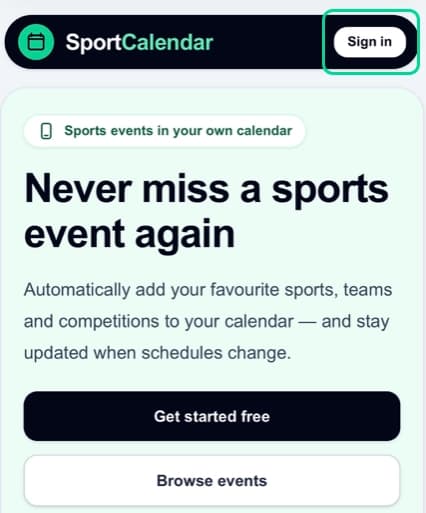
Open SportCalendar
Sign in on the device where you want Apple Calendar to show your fixtures.
- 2
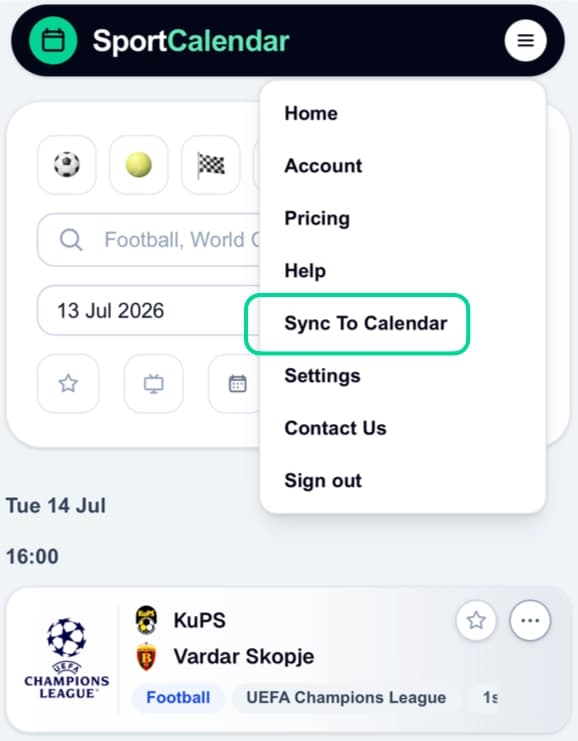
Navigate to Sync To Calendar
Open Sync To Calendar from your account menu or the shortcut buttons.
- 3
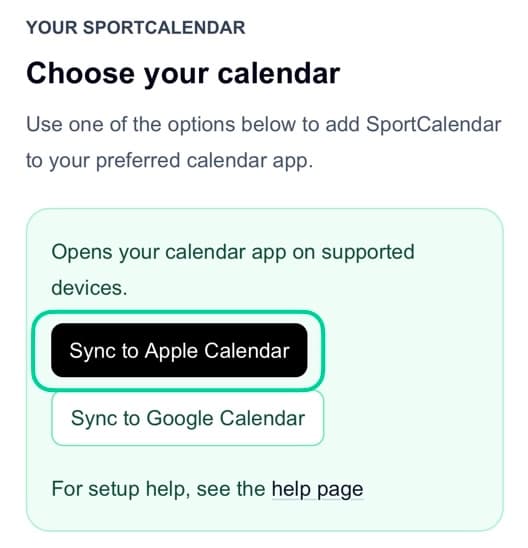
Tap Sync to Apple Calendar
Use the Apple Calendar button to start the subscription process.
- 4
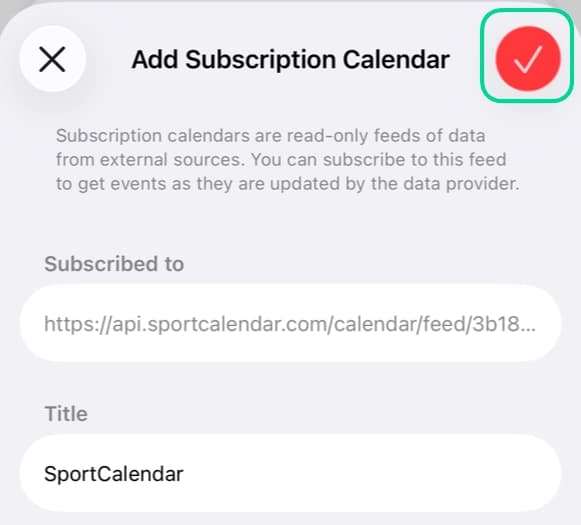
Confirm in Apple Calendar
Accept the calendar subscription prompt from Apple Calendar.
- 5
Done
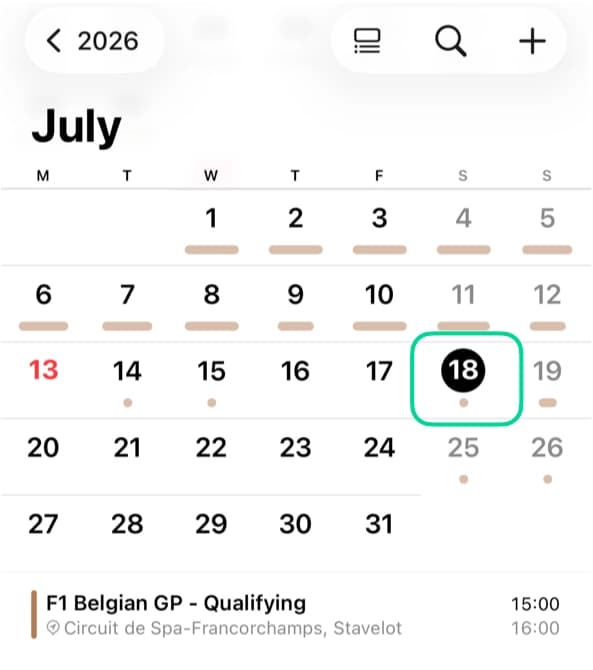
Your calendar updates automatically whenever your SportCalendar changes and Apple Calendar refreshes.
Choose your Apple device
iPhoneOpen
- 1Open SportCalendar in your browser.
- 2Open Sync to Calendar from the account menu or using the shortcut buttons.
- 3Tap Sync to Apple Calendar.
- 4Tap Find when prompted to add the subscription calendar.
- 5Tap Done to finish adding the subscription.
- 6Open Apple Calendar and check that your SportCalendar fixtures appear.
iPadOpen
- 1Open SportCalendar in your browser.
- 2Open Sync to Calendar from the account menu or using the shortcut buttons.
- 3Tap Sync to Apple Calendar.
- 4Tap Find when prompted to add the subscription calendar.
- 5Tap Done to finish adding the subscription.
- 6Open Apple Calendar and check that your SportCalendar fixtures appear.
MacOpen
- 1Open SportCalendar in your browser.
- 2Open Sync to Calendar from the account menu or using the shortcut buttons.
- 3Tap Sync to Apple Calendar.
- 4Tap Subscribe when prompted to add the subscription calendar.
- 5Tap Ok to finish adding the subscription.
- 6Open Apple Calendar and check that your SportCalendar fixtures appear.
Tips and important notes
Tip
SportCalendar updates immediately when fixtures or your calendar change. Apple Calendar then checks for those updates automatically, although the timing is controlled by Apple.
Important
Subscriptions are usually device-specific. If you use both iPhone and Mac, you may need to subscribe on each device.
Common questions
Why isn't my calendar updating?
Apple Calendar decides when to refresh subscribed calendars. SportCalendar updates your subscribed calendar whenever your SportCalendar changes, then Apple Calendar checks it on its own schedule.
Read the refresh guideHow often does Apple refresh subscriptions?
Apple does not guarantee an exact refresh time for every subscribed calendar. Some updates appear quickly, while others can take several hours.
Understand refresh timingWhy doesn't my calendar appear on my Mac?
Calendar subscriptions can be device-specific depending on how they were added. If you subscribed on iPhone and cannot see it on Mac, add the same calendar link from Apple Calendar on your Mac.
Can I remove the subscription later?
Yes. Removing the Apple Calendar subscription stops events showing in Apple Calendar, but it does not delete your SportCalendar account or favourites.
Related articles
Still need help?
Browse more Help articles or return to the Help Centre to choose a different path.